How it works
It works inside the tools you already use
Keytrail runs in your own Google account. There is nothing new to check every morning: your inbox, your Drive and your calendar simply stay in order.
Email, sorted
Every deal gets its own Gmail label, sorted by stage. New mail about the address is labelled as it arrives, and older mail is found and filed too.
Files, filed
Each deal has a Drive folder with the right subfolders. Save an attachment to the right place in one click, and a paperwork checklist ticks itself.
Dates, tracked
Deposit, conditions, title search and closing go in your Google Calendar with reminders, and an email tells you what is due before it is late.
In Gmail
The deal, right beside your inbox
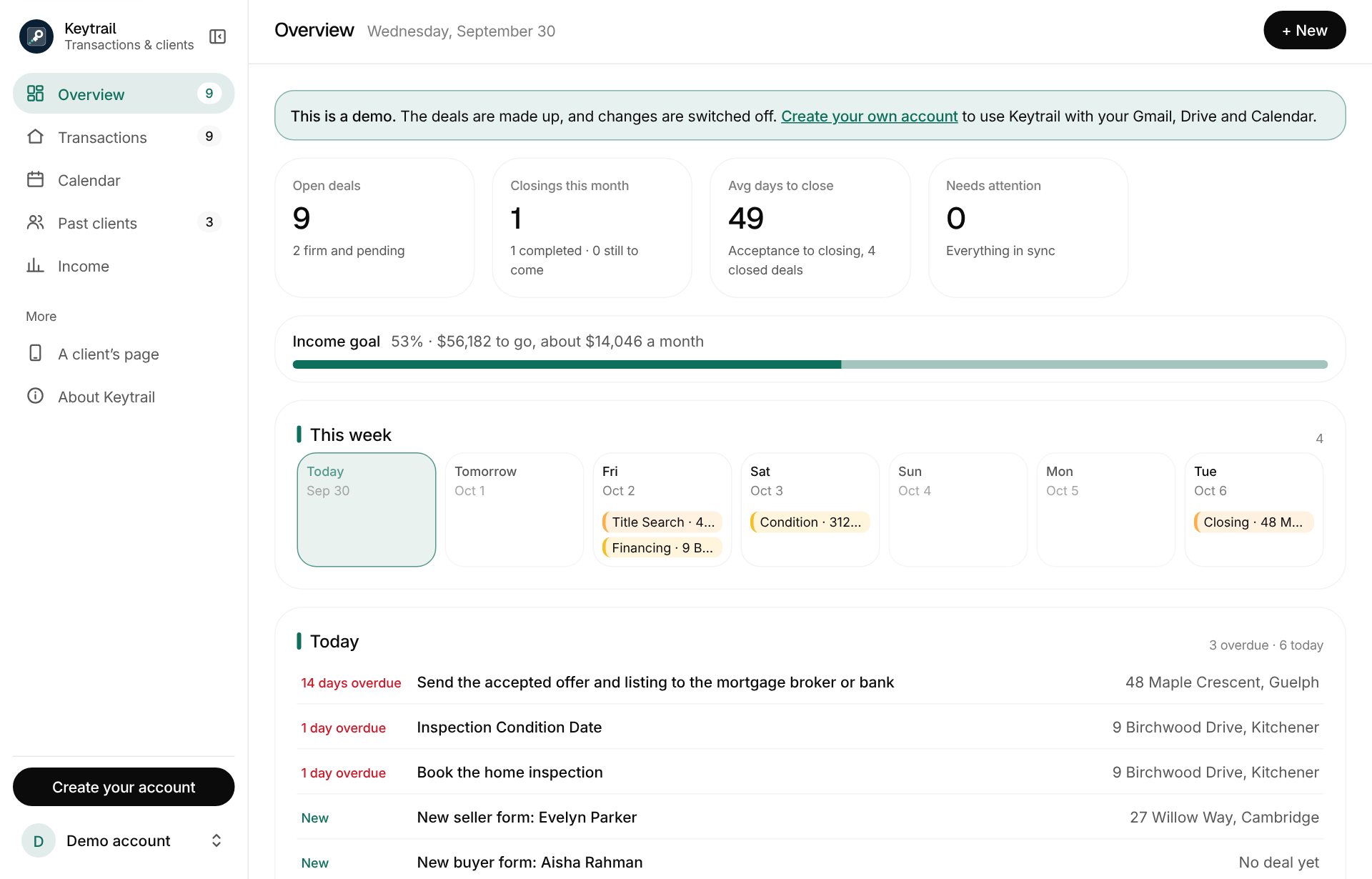
Open an email and the Keytrail side panel shows the transaction it belongs to.
- Dates and conditions at a glance, and editable in place; the calendar follows.
- Save attachments straight into the right Drive folder, ticking the checklist.
- Draft client emails in your own words for each milestone, ready to review and send.
- Start a new deal from an email about a new address, with its label and folder made for you.
- New clients and buyers searching, with an offer added straight from the email you are reading.
- Listing data, filled in: read the MLS data form and listing agreement from Drive, then fill PropTx, Matrix or WebForms in one click.
The dashboard
Your whole business, at a glance
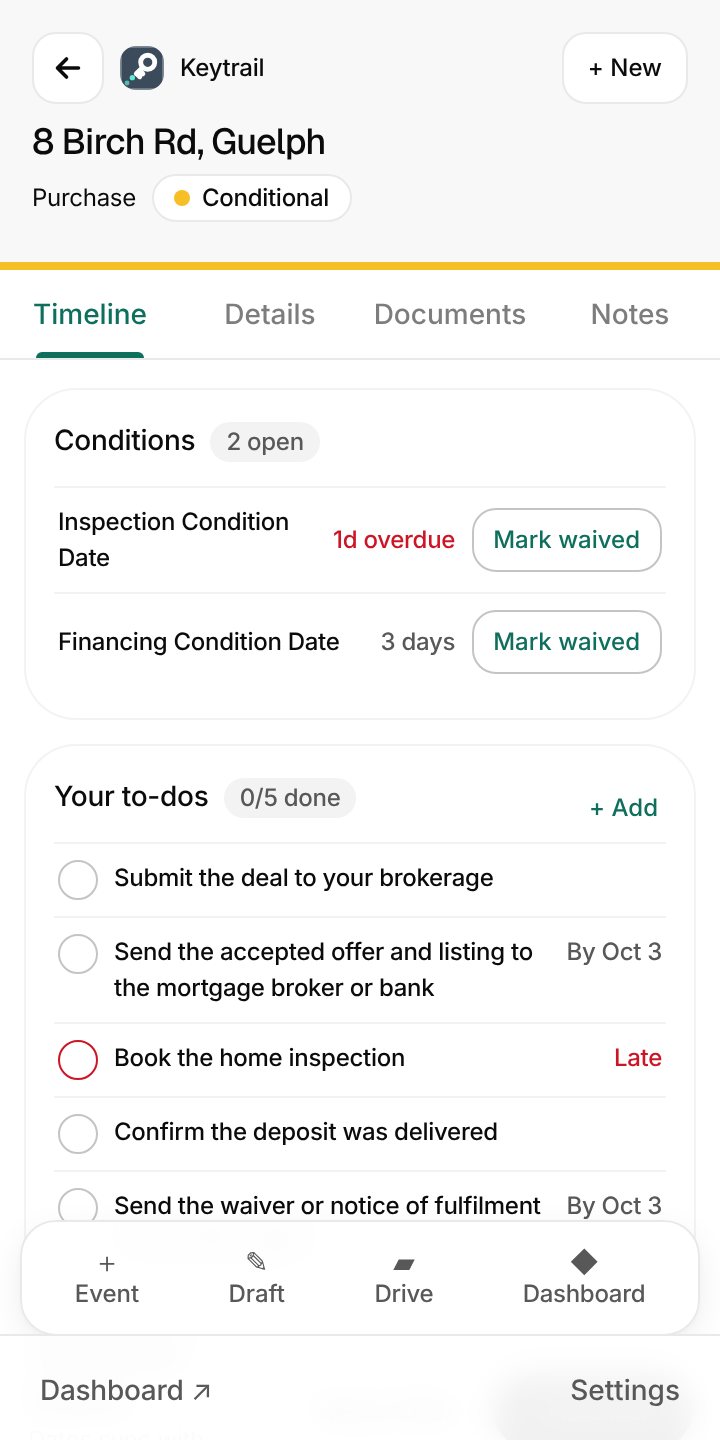
One place for every deal, on your laptop or your phone.
- Pipeline and calendar for every deal, this year or any stretch you choose, with overdue conditions called out.
- Paperwork before closing: what is still missing, two weeks out.
- Income after your split, brokerage fees and cap, plus expenses and real profit.
- Past clients: a check-in, a review ask and every anniversary, so referrals keep coming.
- Your layout: put the sections you use most at the top, and hide the rest.
New clients
From the first form to the offer that sticks
Text a new client a short link to your buyer or seller form. What they send lands on your dashboard, and you get an email saying so.
- Forms that fill themselves in: the address comes from Google as they type, and their ID goes straight to your Drive.
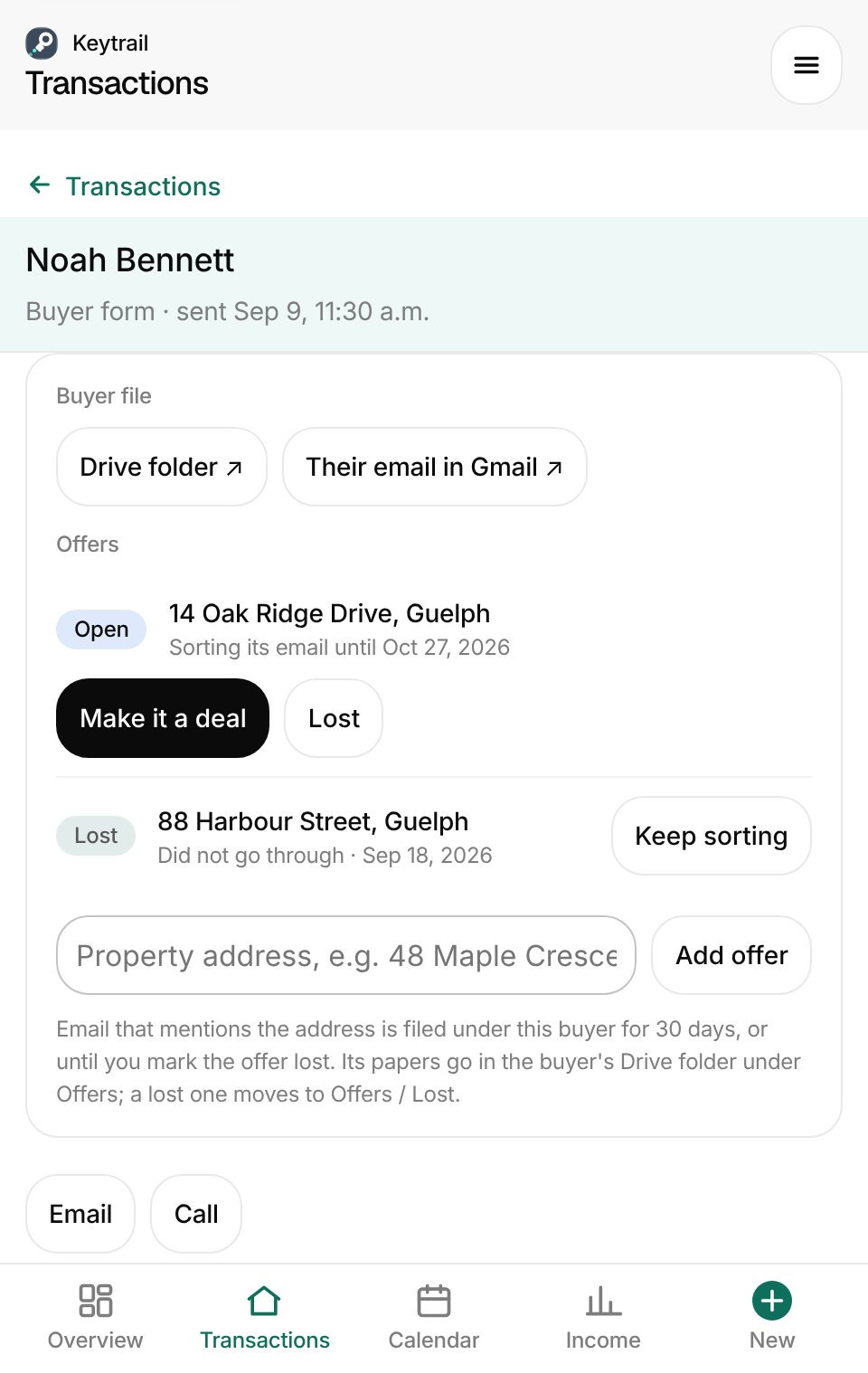
- Buyers searching: keep a buyer with no property yet. Their email is sorted by who it is with, in its own Gmail label.
- Every offer tracked: mail about each address is filed under the buyer while the offer is open. A lost one moves to its own folder.
- The one that goes through becomes a deal in the same folder, with its email and the client's details already there.
For your clients
Clients always know what happens next
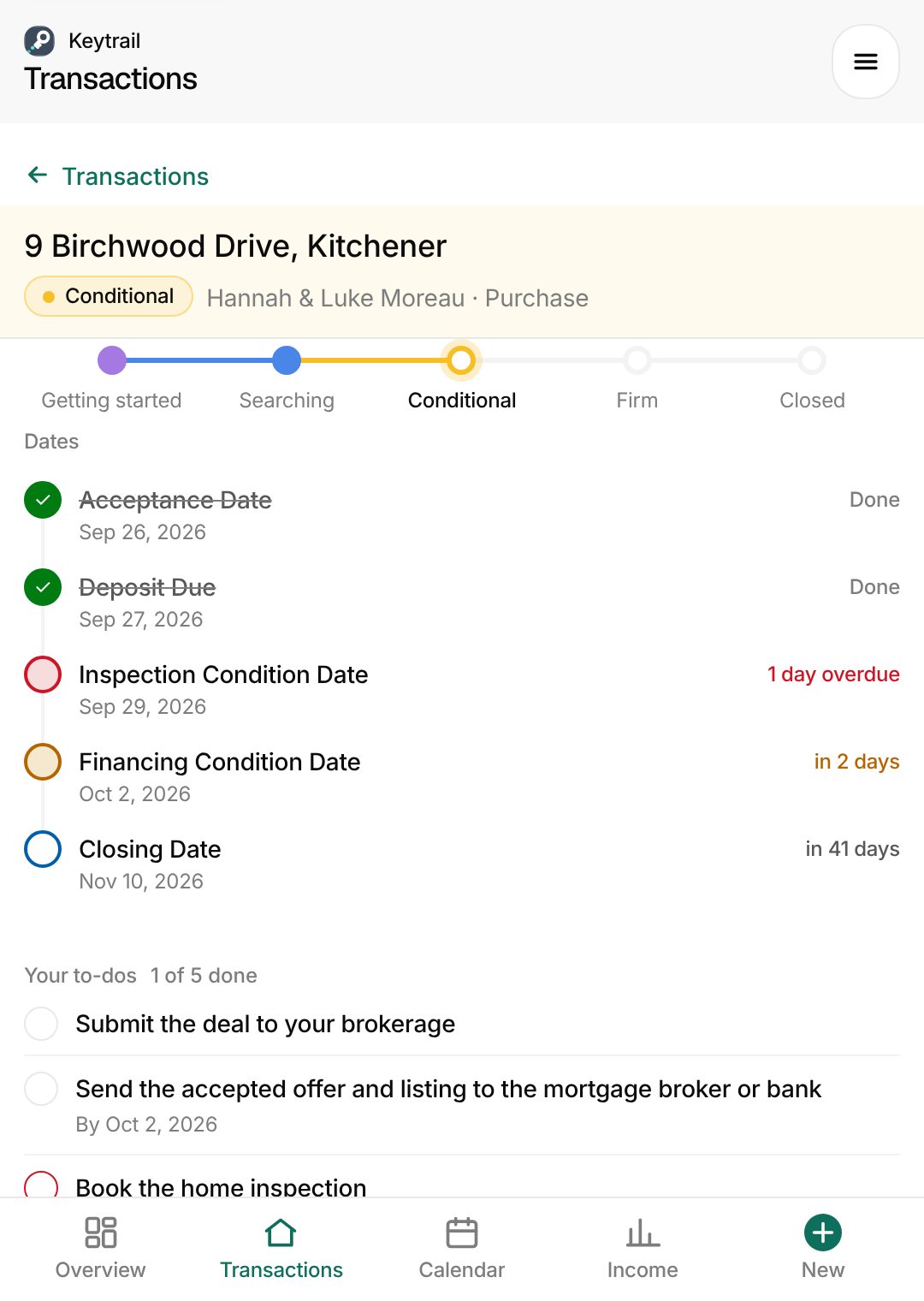
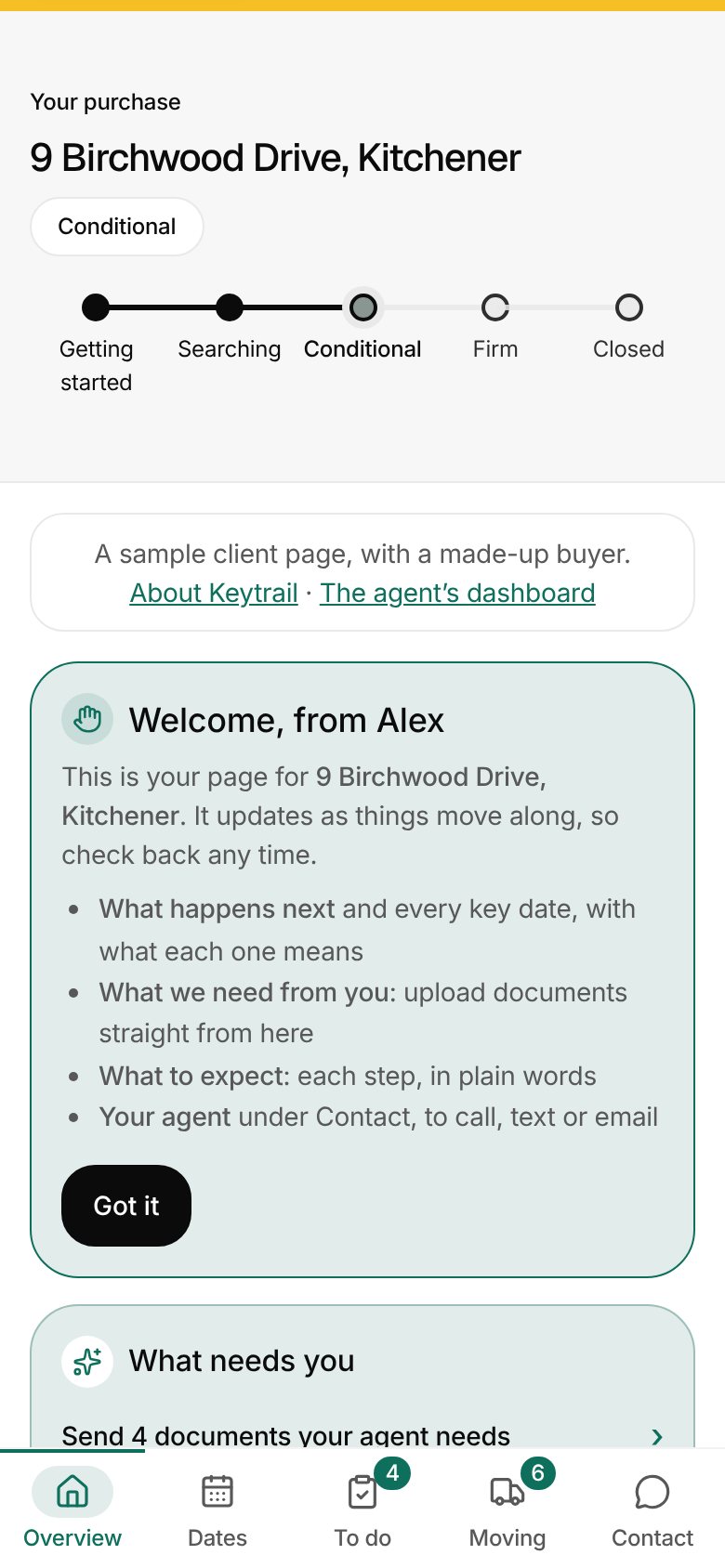
Send a private link and your clients see their deal in plain words: no account, no app.
- What happens next, explained for buyers, sellers and tenants.
- Every key date, with a one-tap "add to my calendar".
- Paperwork on file and your contact card. Nothing private is ever shown.
Private by design
Your deals stay yours
Your Google data stays put
Email, files and calendar stay in your own Google account, reached through a small script you own. Keytrail never keeps a copy of your messages or documents.
Encrypted at rest
Addresses, client names, money and notes are encrypted with a key unique to your account.
Nothing is sent for you
Client emails wait in your Drafts for you to read and send. You are always the one who hits send.
Questions
Before you sign up
What do I need to use Keytrail?
A Google account with Gmail, Drive and Calendar. The dashboard works in any browser, on your laptop or phone. The side panel beside your inbox is a Chrome extension.
Where do my emails and files go?
Nowhere new. They stay in your own Gmail, Drive and Calendar, reached through a small script that runs in your Google account. Keytrail keeps the deal records the dashboard shows, with client details encrypted.
Can I bring the deals I already have?
Yes. Import them from a spreadsheet or from Notion during setup, then Keytrail labels their email and builds their folders.
Do my clients need an account?
No. You send a private link and they see their deal's next steps and key dates in plain words, with no account and no app.
Will it ever send email for me?
No. Client emails are written as drafts in your Gmail, and you read and send each one yourself.
What if I stop using it?
Download everything the dashboard holds, or delete your account and all of it, at any time from your account page. Your Gmail labels, Drive folders and calendar events stay in your Google account.
Ready to try it with your own deals?
Setup takes about ten minutes, and your existing deals can come in from a spreadsheet or Notion.